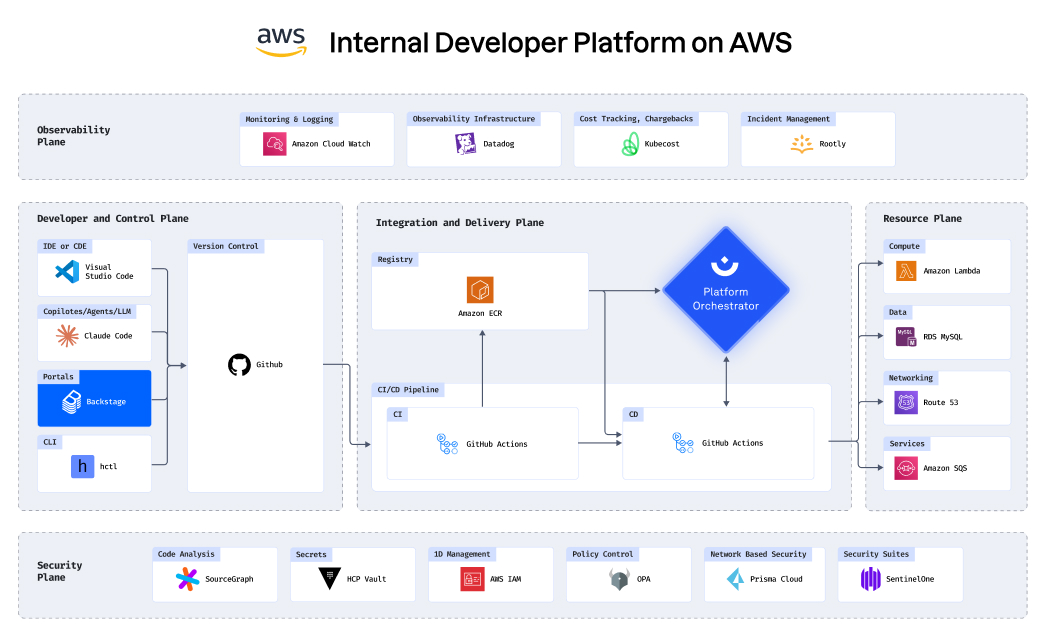
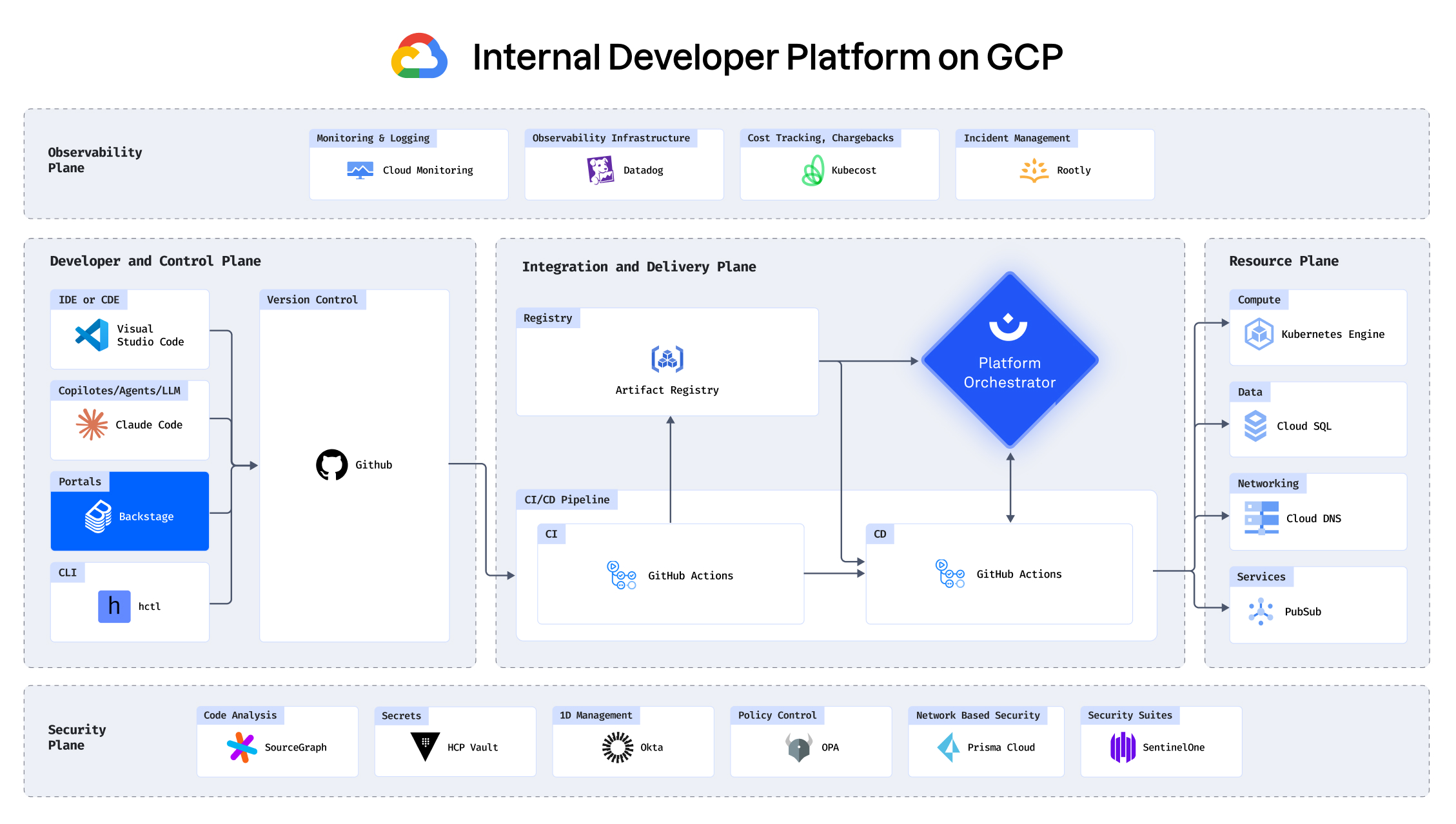
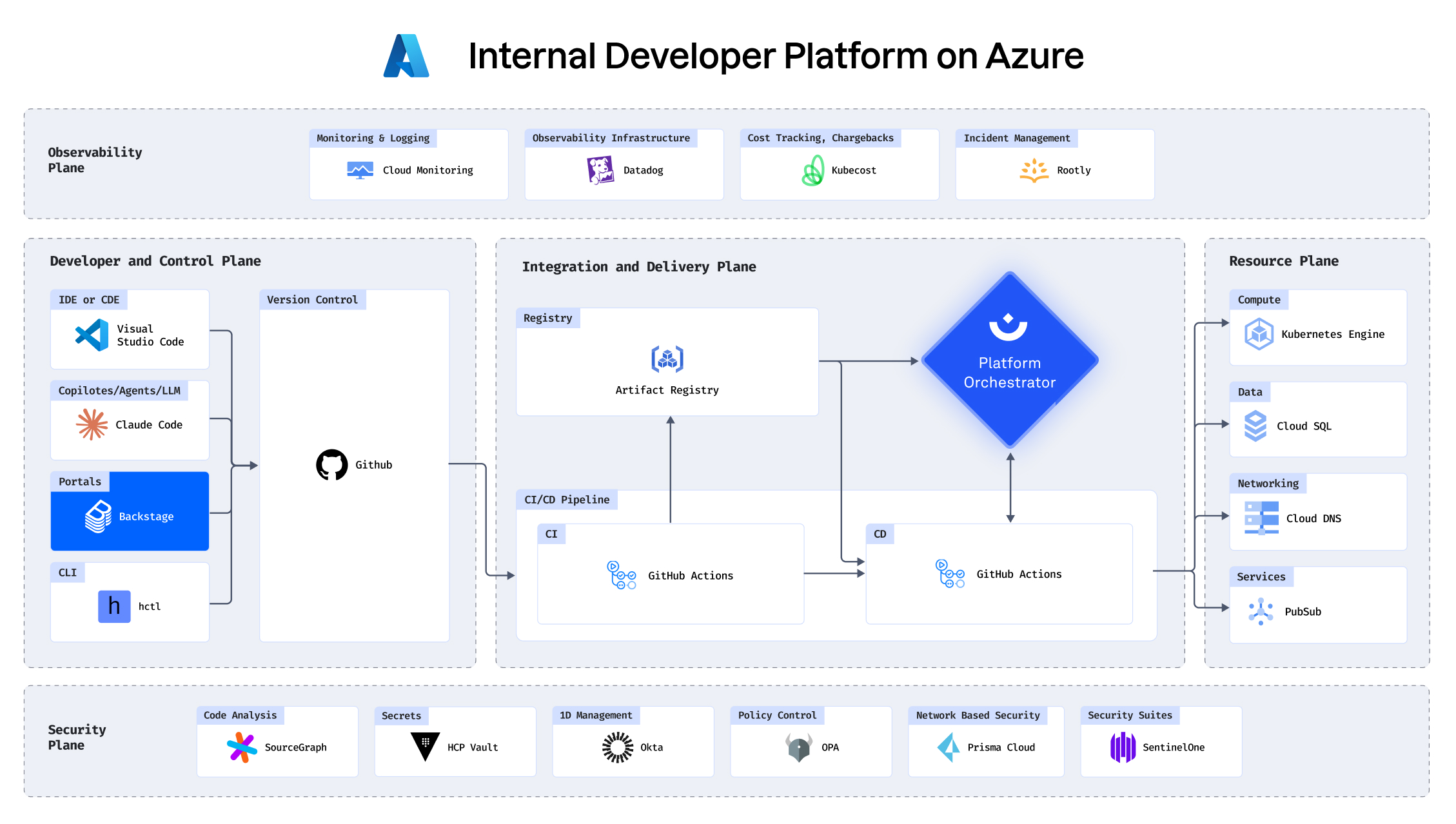
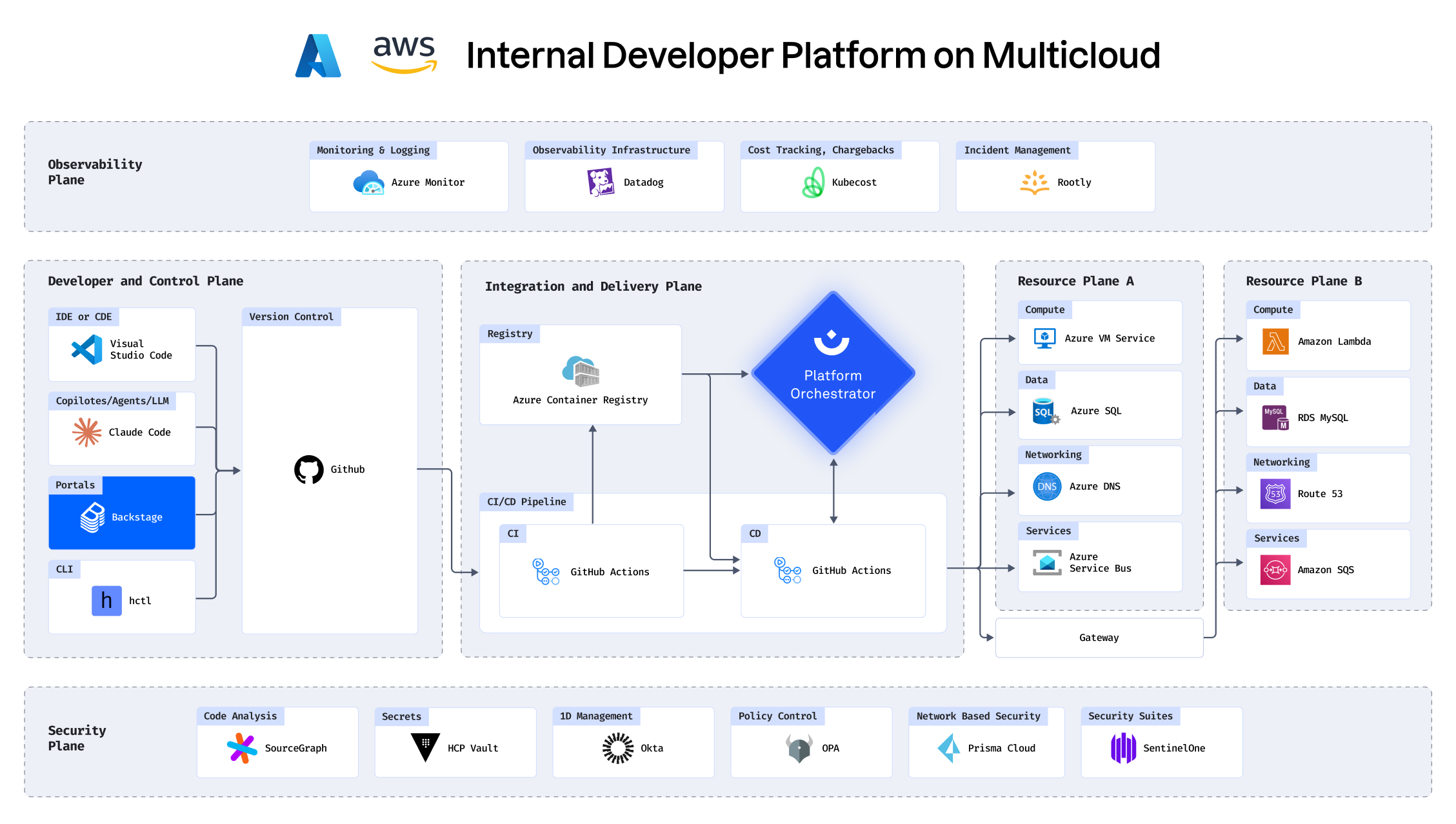
Eliminate ticket ops

Ticket ops is draining your organization. Keeping Ops teams busy with unproductive work hinders velocity and negatively affects lead time.

Focus your time

100%

less waiting times for devs

‍

Easy Maintenance

75%

reduction ops overhead

‍

Reduce Requests

95%

fewer config files

Automate and standardize workflows

Minimize dependencies on ops

Improve ops per dev ratio

SEE it in action

Top performing orgs don’t write tickets

Deployment stuck? Need a new environment? A new resource? In most engineering teams, this translates to developers filing a ticket with Ops. That’s not how top performers work.
See it in the demo below
See a short demo in the video below:

Know exactly what you’re rolling back
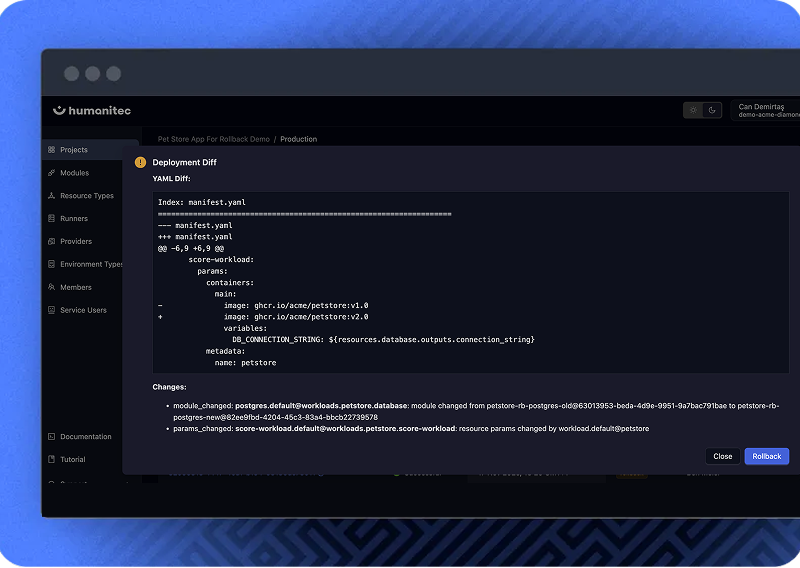
The Orchestrator shows a precise diff of what will update, letting you roll back with full confidence.

HOW IT WORKS

See drift. Understand it. Fix it.

Catch drift where you already monitor your systems

The Orchestrator surfaces drift into your existing
observability stack, so teams see issues
immediately.
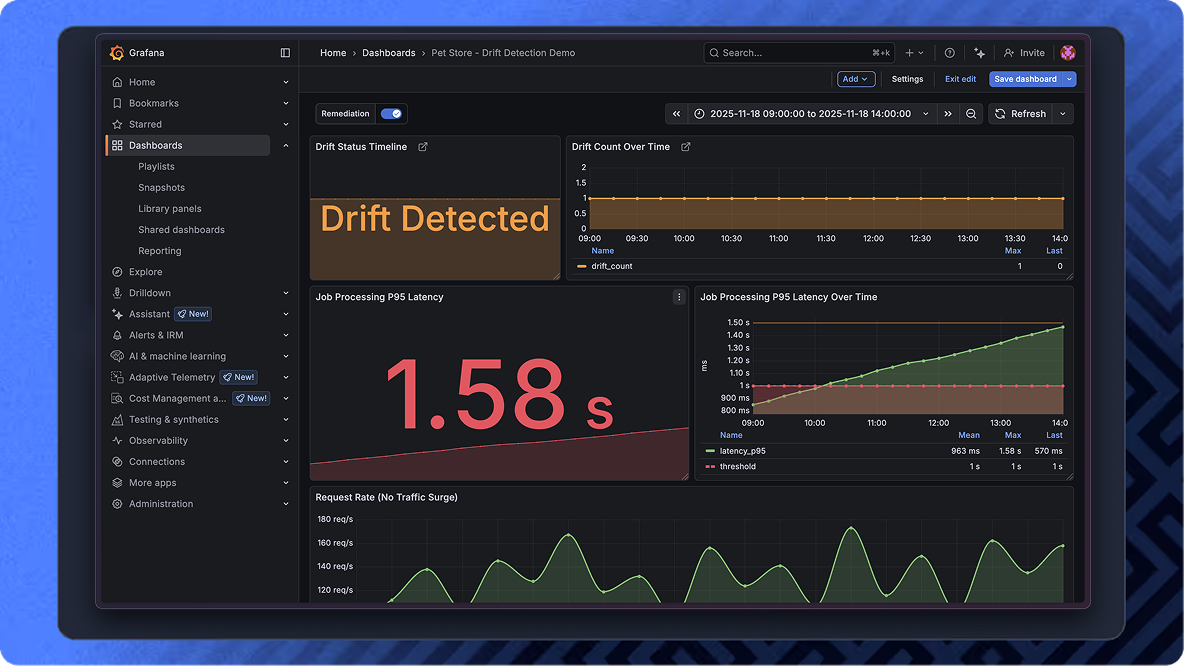
Know exactly what’s affected

The Orchestrator shows which workload and
environment are out of alignment

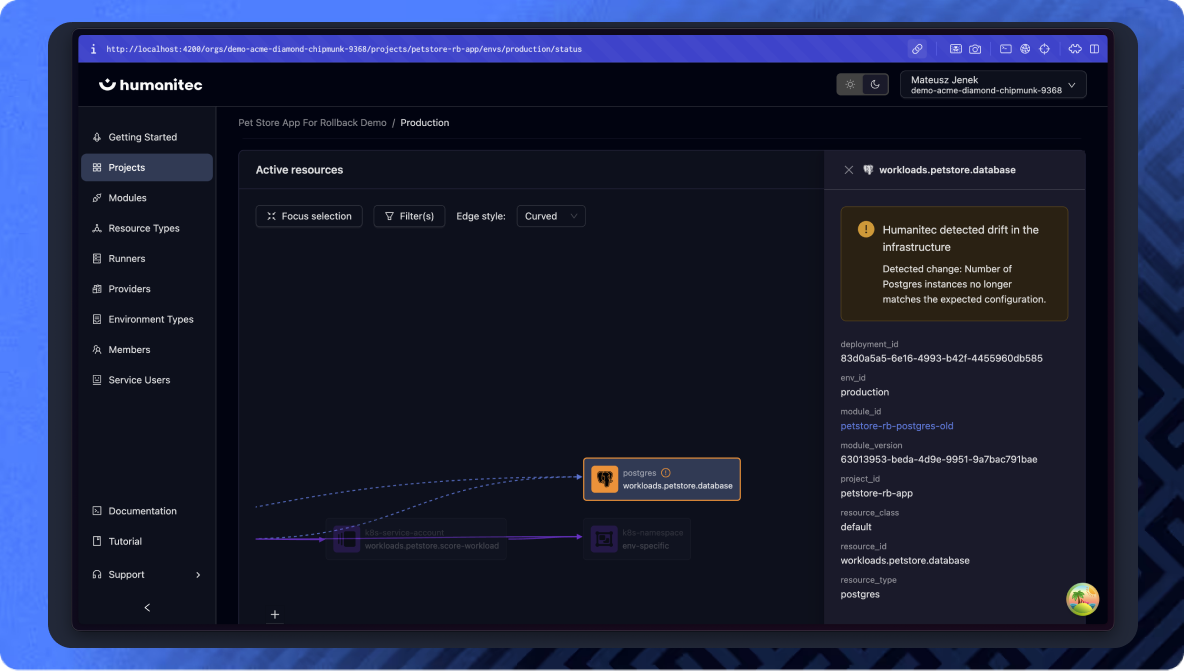
See precisely what changed

Drill into the resource graph to identify the exact
node and configuration causing the drift, so teams
can resolve the issue fast and confidently.
Today

Drift goes unnoticed until it breaks something. A service misbehaves, a policy stops applying, or an audit reveals that production no longer matches its declared config. Teams scramble to figure out what changed, when it changed, and how to get back to a compliant state. The investigation takes longer than the fix while damage is being incurred.

vs

With Humanitec

Drift is caught right after it happens. Teams get an alert and restore the approved configuration with a single redeploy. No surprises, no compliance gaps, no late-night debugging. Environments stay secure and aligned by default.
Want to see how drift detection would work in your setup?

Today

A deployment breaks. Alerts fire. Developers ping platform engineers on Slack and create tickets. Someone digs through past deployments, figures out which version was stable, reverts the application, then manually aligns infrastructure to match. It is slow, stressful, and different every time.

vs

With Humanitec

A deployment breaks. The developer opens the Humanitec Platform Orchestrator and identifies the last known good deployment. With a single click on “Rollback”, the Orchestrator restores both the app and its infrastructure to that stable version in a single operation. No painful aligning of app components. Incidents are resolved in minutes, not hours.
Want to see how rollbacks would work in your setup?

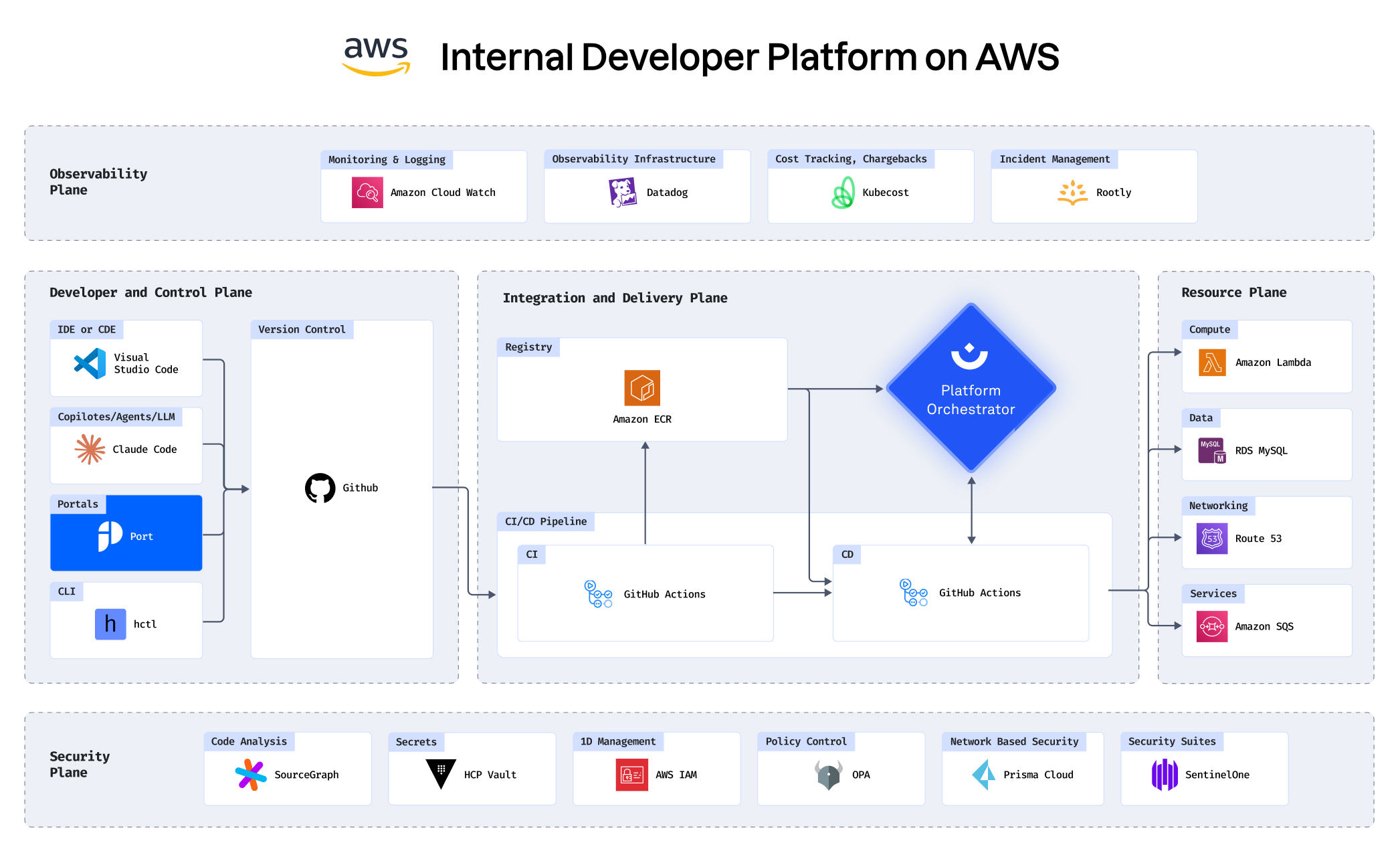
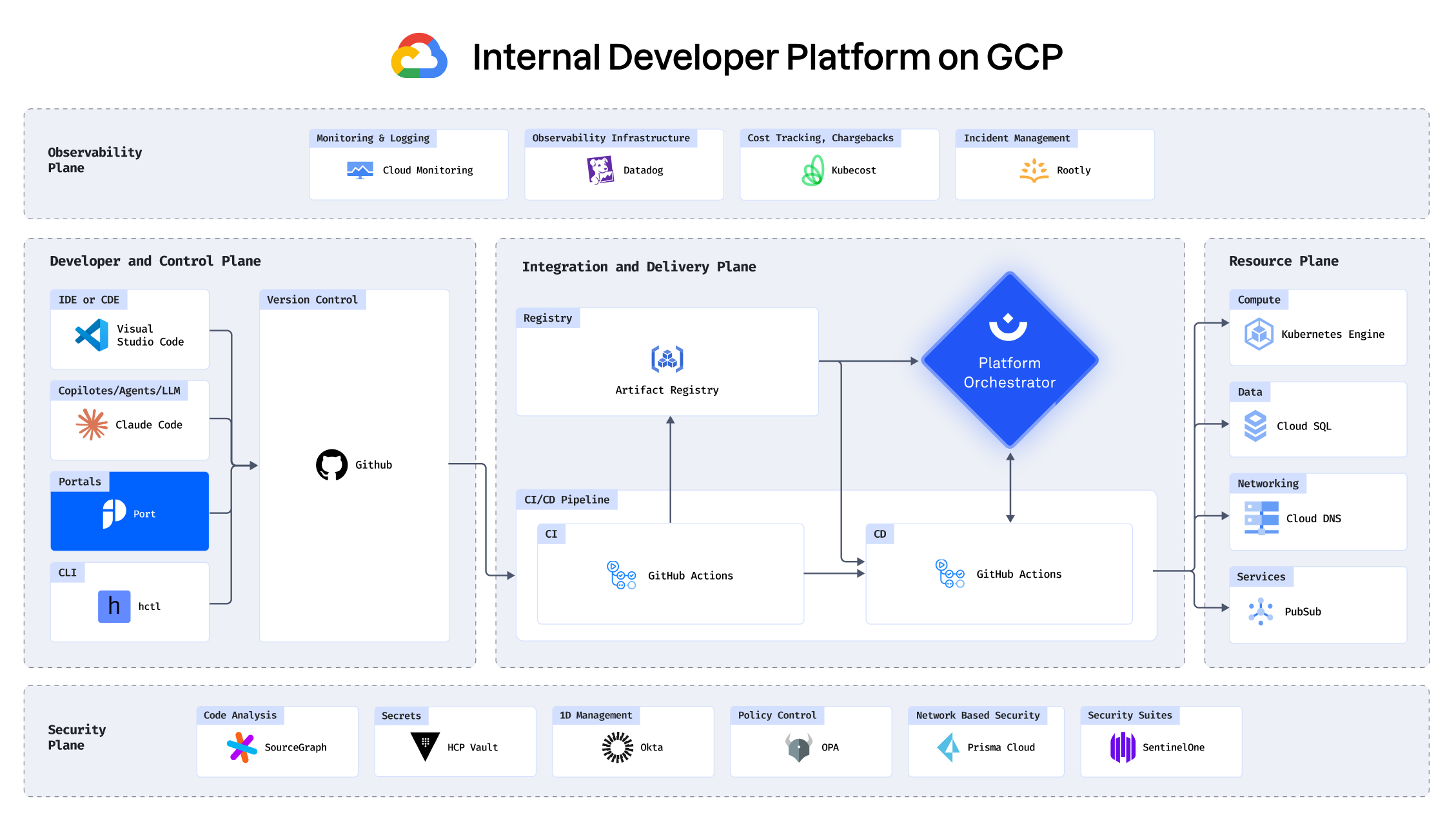
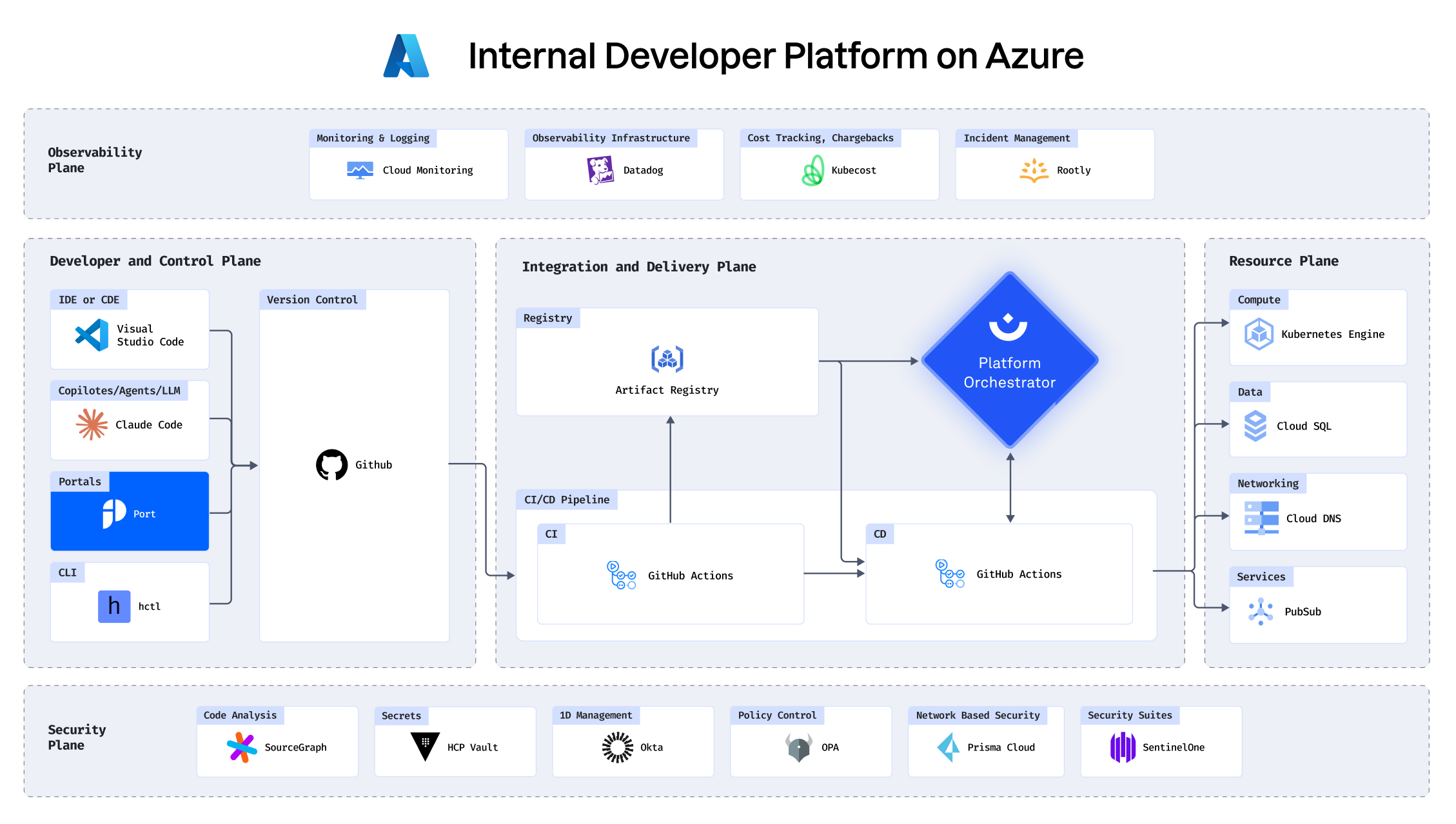
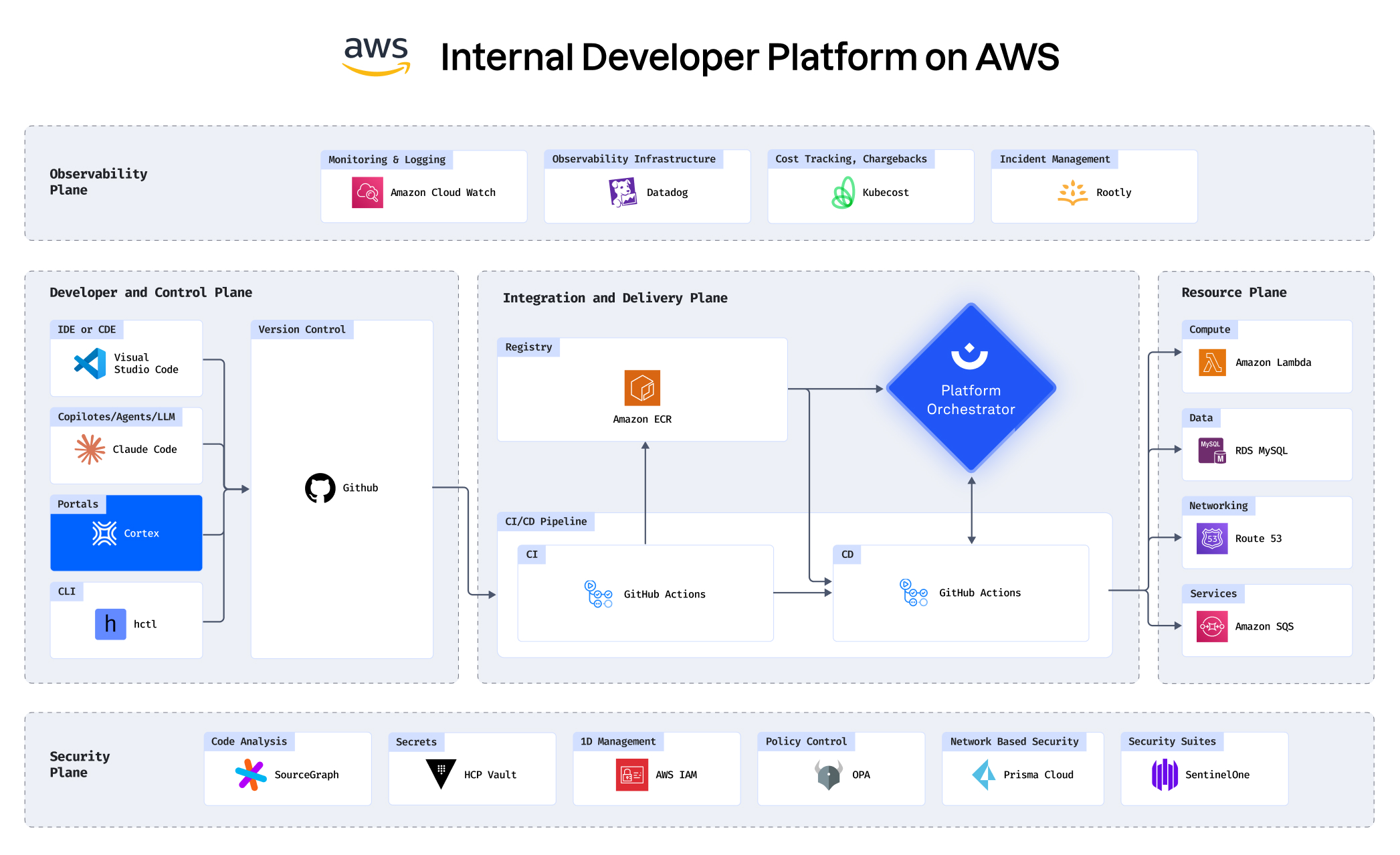
See how you can build an IDP in under 30 minutes

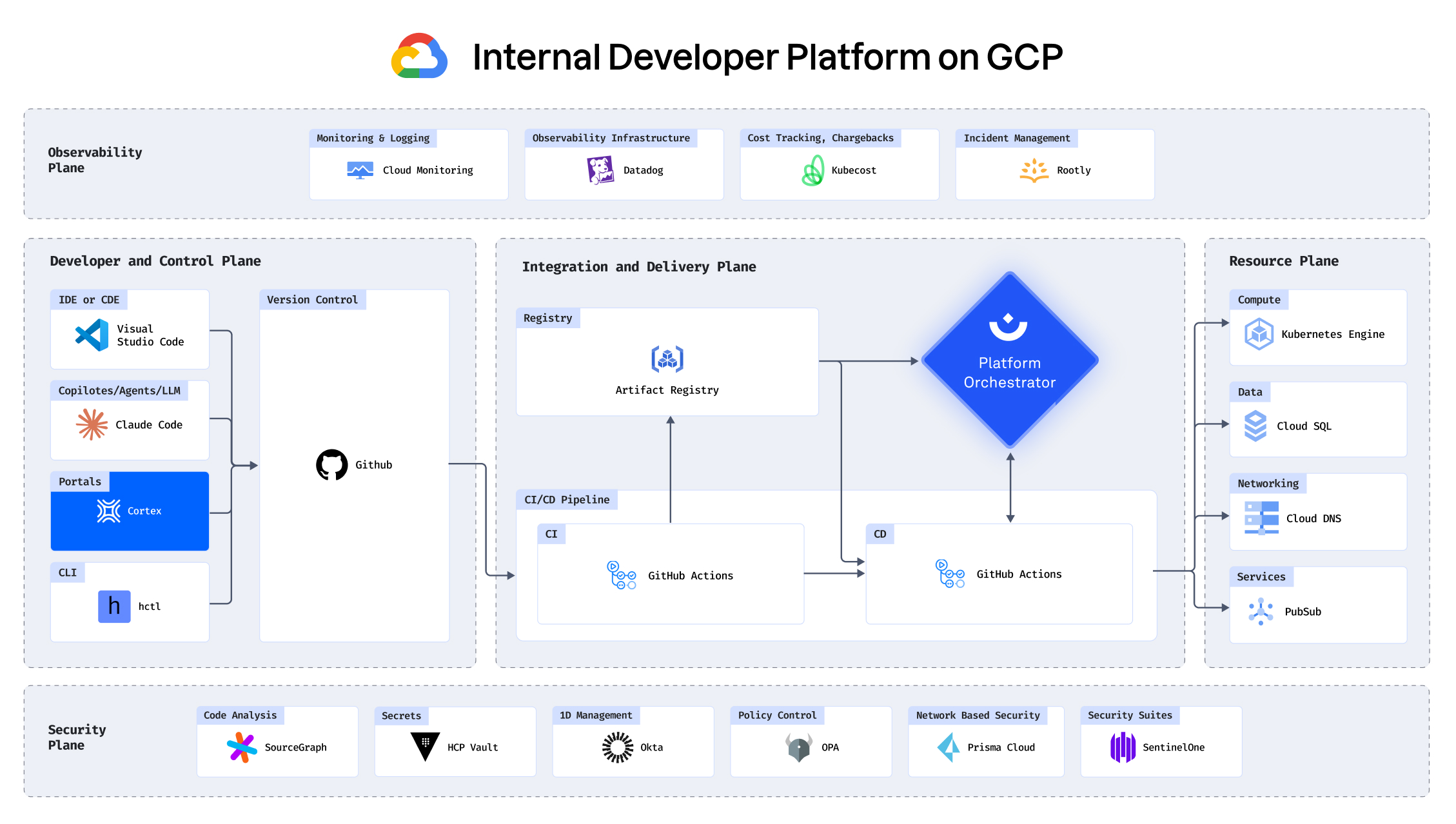
Building an IDP using GCP, Port, Humanitec, Datadog and
more

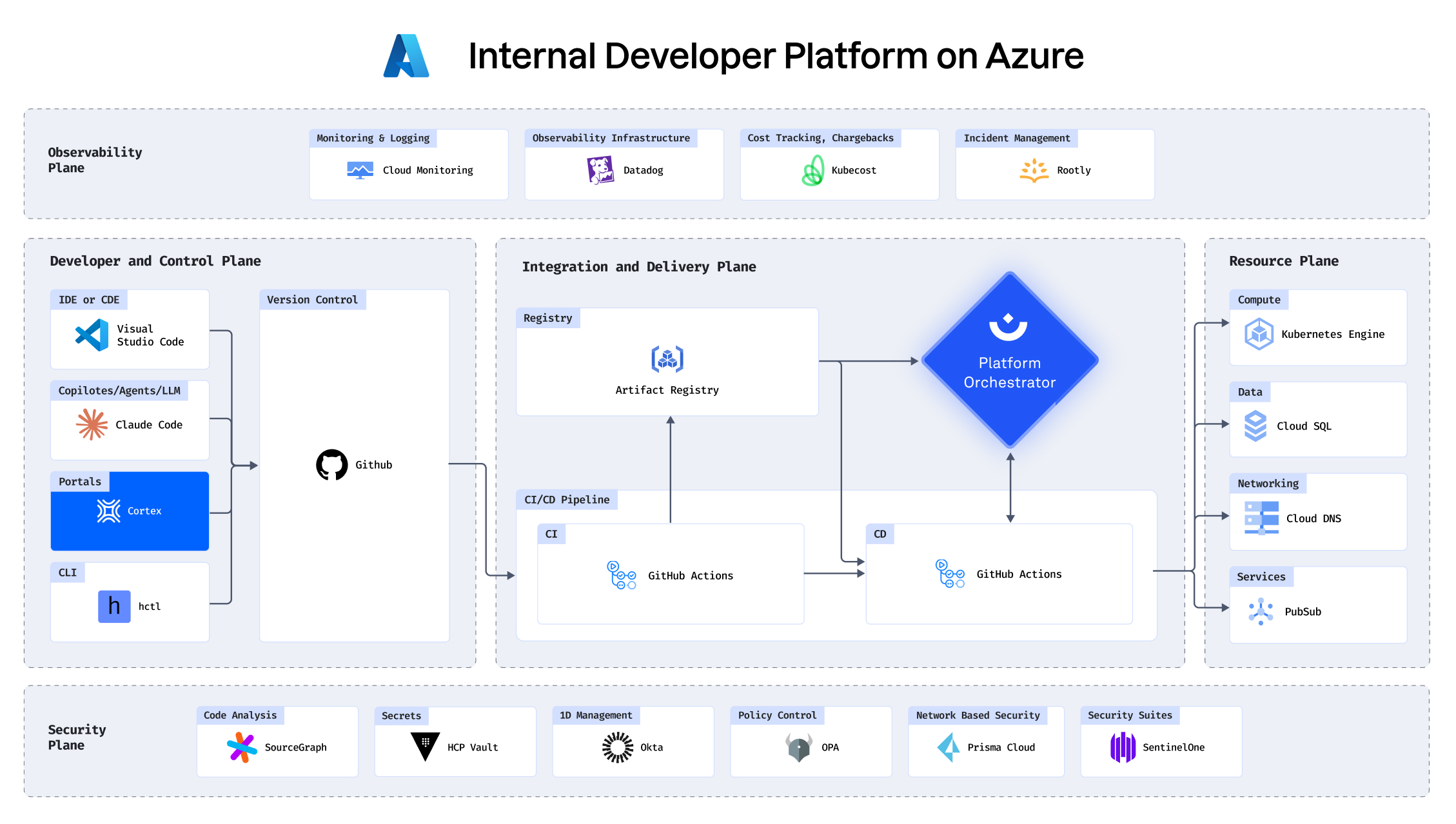
Building an IDP using AWS, Cortex, Humanitec, Datadog and
more

See how you can enable developer self service in 5 minutes:

See how Convera reduced ops dependencies with Humanitec

Before Convera built their IDP with Humanitec, the flow from commit to production was tedious and time-consuming. Lots of manual configuration was required and developers constantly had to wait for Ops support.

Now developers self-serve what they need and can work on shipping features instead of config files. Ops can focus on valuable tasks rather than fighting repetitive tickets.

Humanitec has helped us accelerate our modernization journey. Thanks to the Platform Orchestrator our developers can self-serve everything they need to be productive. Humanitec allowed us to streamline our operations without compromising on quality or security.

Dive deeper

Demo
Developer self-service in-depth demo
In this video, Malini Kamalambal demos how Humanitec's products can ensure effective developer self-service for Kubernetes setups.
Tutorial
Perform daily developer activities (debug, rollback, diffs, logs)
This tutorial will take you through a standard “break-fix” exercise from a developer’s perspective using an IDP.
Tutorial
Scaffold new workloads and create staging and production environments
This tutorial explains how developers can quickly scaffold an application that already comes with a dev environment on their own.